Robinhood Stock Screener: How to Use It, Where It Fails
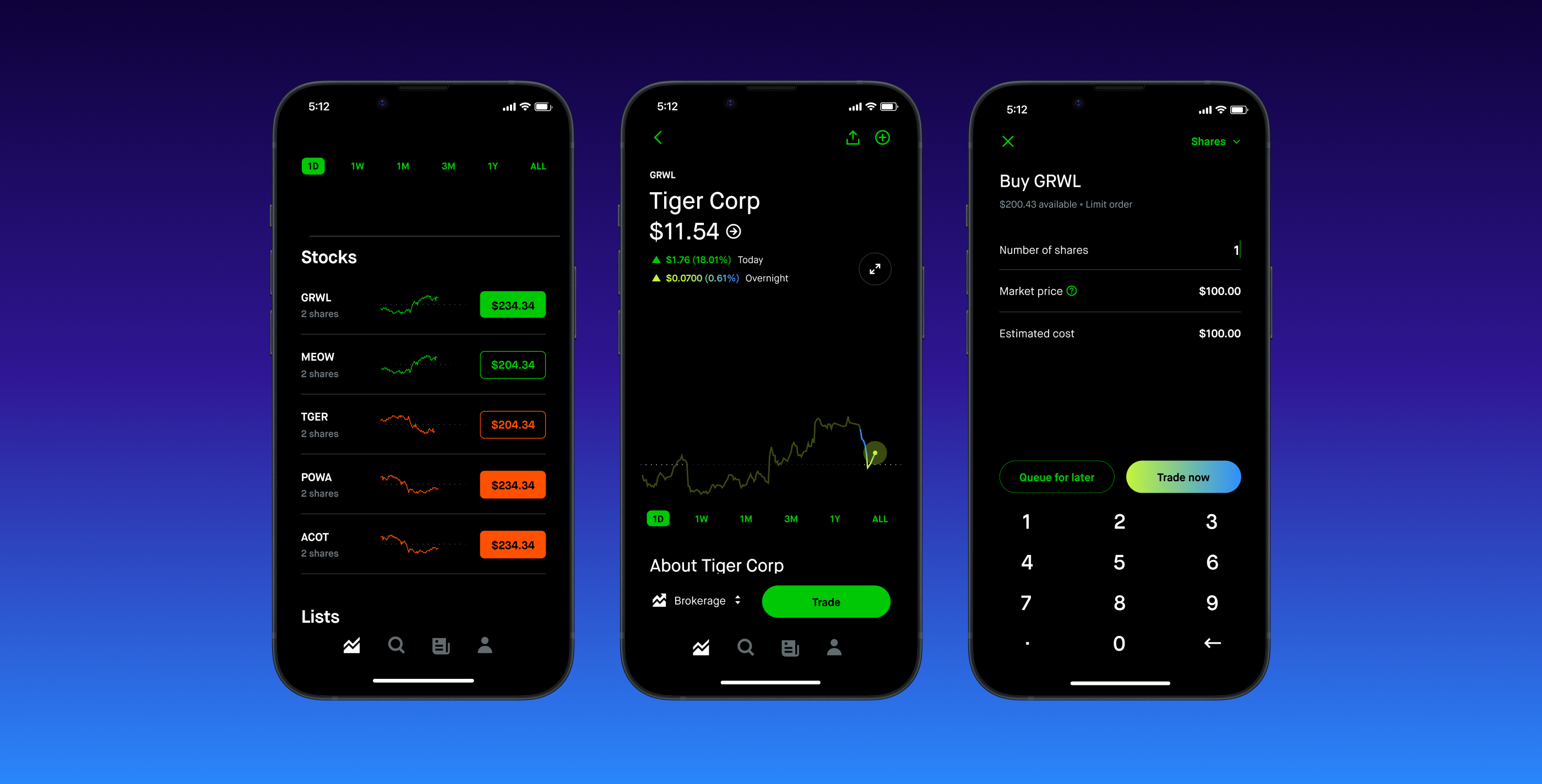
Robinhood does not have a stock screener. It has Collections, which are pre-built themed lists Robinhood curates, and Lists, which are watchlists you assemble by hand. Neither lets you filter the market by a number you choose.
That is fine until it isn't. If you are buying names you already know, Collections are enough. The moment you want to ask "show me every stock under $50 with a dividend yield above 3%", you need a second app — and the second app can be free.
This is one of the most common questions from people who started on Robinhood and are now trying to be more deliberate about what they buy. The honest answer is not the one Robinhood's marketing implies, so it is worth being precise about what the app gives you.
What Robinhood actually gives you
Three tools do the work that a screener would do elsewhere, and it helps to be clear on what each one is.
Collections
Collections are Robinhood's curated groupings — technology, upcoming earnings, 100 most popular, and so on. You open one and get a list of tickers that fit the theme.
They are genuinely useful for discovery. What they are not is filterable. You cannot sort a Collection by valuation, you cannot exclude companies below a market cap, and you cannot combine two Collections. Robinhood decides the membership; you browse it.
Lists
Lists are your own watchlists. You add tickers manually, name the list, and reorder it. You can see price and daily change at a glance.
A List is a container, not a query. It holds what you already decided to put in it, which makes it a good tool for tracking and a poor tool for finding.
The analyst data on each stock page
Individual stock pages carry analyst ratings, earnings history, and a short set of fundamentals. This is the closest Robinhood comes to research data, and it is per-stock. You can read it about a company you have already found. You cannot search across it.
Three screens a beginner actually wants
Abstract capability arguments are less useful than concrete attempts. Here are three reasonable questions and what happens when you try to answer each one inside Robinhood.
Where these controls actually live
Robinhood does not label anything "screener", which is why people conclude there isn't one. The three places worth knowing:
- Collections. Search any ticker, scroll to the bottom of its detail page, and you will find the collections it belongs to — Technology, Upcoming Earnings, 100 Most Popular and so on. Tapping one gives you every stock in that collection. That list, sorted, is the closest thing to a screen Robinhood offers.
- Lists. On the home tab, scroll past your positions to Lists. You can build your own and add tickers to it, but you cannot filter into it — a list is a container you fill by hand, not a query.
- The stock detail page. Scroll past the chart and news to find analyst ratings, the price-target range, market cap, P/E, dividend yield and earnings history. This is where the data lives, one company at a time.
The limitation is now obvious: you can sort within a collection, and you can read numbers per stock, but you cannot ask "show me every stock with a yield above 3% and a P/E under 15." That is what a screener does, and Robinhood does not do it.
Screen one: dividend payers above a yield threshold
The question: which stocks pay a dividend yield above 3%?
In Robinhood: not possible. There is no yield filter and no dividend Collection with a numeric threshold. You would have to open candidates one at a time and read each yield off the stock page.
This matters because yield screening is where most income investors start. If you are building toward dividend income, Robinhood will not help you build the list.
Screen two: a price ceiling within a sector
The question: which technology stocks trade under $50 a share?
In Robinhood: partially. You can open a technology Collection and scan prices visually. With a few dozen names that works. It does not scale, it is not repeatable, and you have no idea whether the Collection is complete.
Worth saying plainly: share price on its own is close to meaningless as a filter, since it tells you nothing about whether a company is cheap. It is still the screen beginners reach for first, and Robinhood's fractional shares make it largely unnecessary anyway.
Screen three: valuation plus growth
The question: which companies have a P/E under 20 and revenue growth above 15%?
In Robinhood: not possible in any form. This is a two-variable numeric query across the whole market, which is the core job of a screener, and the app has no surface for it.
What to use instead
You do not have to leave Robinhood to fix this. A screener is a research tool, and there is no rule that research and execution live in the same app.
- Moomoo is the strongest free option we have tested. Its screener runs multi-variable filters across the market, and we walk through the specific settings in our Moomoo screener guide. Opening an account is free and you can run the screener without funding it.
- Webull offers a comparable screener with a slightly cleaner mobile layout. Our Moomoo vs. Webull comparison covers where the two differ.
- Your existing broker, if it is a full-service one. Fidelity and Schwab both include screeners that are as capable as anything on this list.
The workflow that most people settle into: screen somewhere with real filters, then buy in whichever app holds the money.
Tykr is a stock-screening app built for beginners: it scores companies on financial health and valuation and explains the result in plain language. It's a paid subscription after the trial, so check what the free plan covers. A score is a starting point for research, not a buy signal. Try Tykr.BeginnerBull may earn a commission if you sign up through this link. It doesn't change what we recommend.
Should you move off Robinhood entirely?
Not for this reason alone. Robinhood's weakness here is a research weakness, and research is the one part of investing you can do anywhere for free. Moving your money is a bigger decision that turns on fees, account types and support — our Moomoo vs. Robinhood comparison is the place to weigh that.
The one case where the screening gap should push you: if you are actively picking individual stocks every month and finding candidates is your bottleneck, an app that cannot filter is costing you real time. At that point the second account stops being optional.
The honest summary
Robinhood is built to make buying easy, not to help you decide what to buy. Collections and Lists are discovery and tracking tools, and they are decent at both. If you need to filter the market by numbers you choose, open a free account somewhere that does it and keep your money where it is.
Figures and rules in this article are checked against the official sources below. Where they disagree with us, they win.